If you’re even tangentially responsible for running a server on the Internet, you’ll probably have heard the advice to put that server behind Cloudflare (or another web application firewall—other vendors exist like Fastly or Bunny). You’ll almost definitely have heard that advice in the last week 😅
If you’re setting up Cloudflare, or someone else set it up, or you set it up a long time ago when you were less knowledgeable (hint: that’s me) then make sure you verify that all traffic hitting your origin server is actually coming through your CDN/WAF provider. If you don’t do this, it’s trivial for an attacker to simply route around your firewall.
Podia—like every server on the Internet—has been attacked by bots, scanners, scripts, DDoS attacks etc just about every hour for the past few years and Cloudflare has done a good job protecting us.
But it turns out that past-me was dumb: I just pointed our DNS records to podia.herokuapp.com, turned on the orange cloud, and configured our WAF rules. This worked extremely well and we’ve been able to control and block attacks for years like this.
However, did you know that an attacker can just curl a request to your origin server (i.e., podia.herokuapp.com), with a Host header for app.podia.com and Heroku will accept it and route it to your app? Completely bypassing your WAF? 🤯
Yeah, I didn’t either. Take a moment to breathe and collect your thoughts. Maybe check your own servers first and then read on…
Verifying all traffic comes through your WAF
There are more sophisticated methods to do this but let’s talk about the most basic and universal method for securing your traffic.
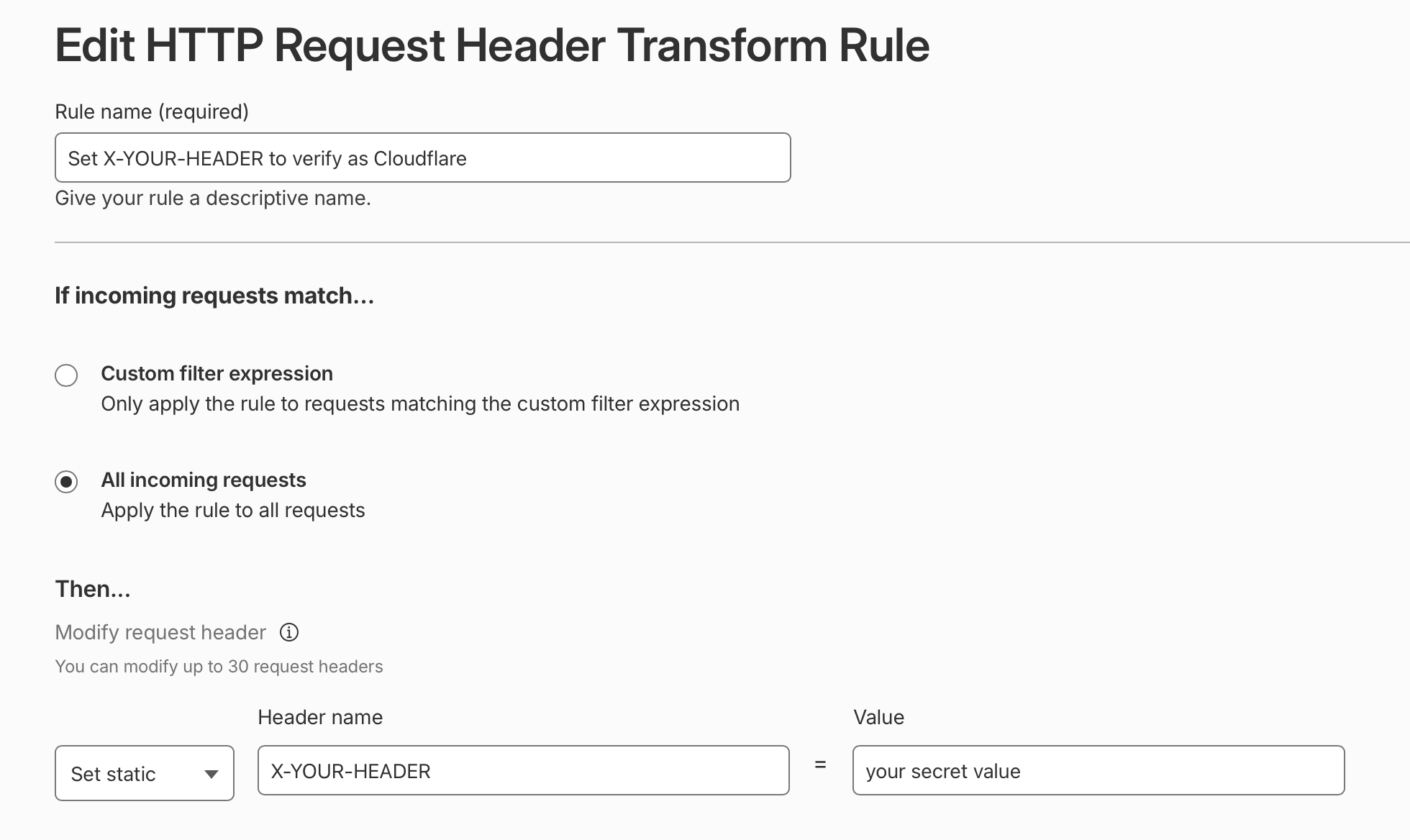
- Set a secret value as a HTTP header in your CDN
- Verify that secret value in your app and drop any request without it
That’s pretty simple! Though I reckon 90% of Cloudflare installs probably don’t do this. I’ve never heard anyone talk about this so this is my little PSA in case you too haven’t thought about it either.
In Cloudflare, you create a request header transform rule
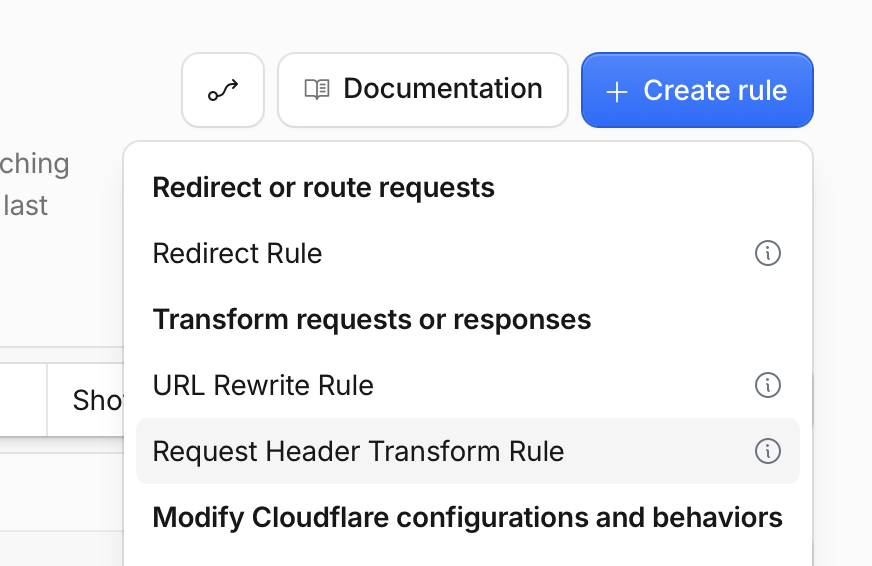
and the rule will look like this
If you want to get more sophisticated, consider
- using a secure method of comparing the header value to eliminate timing attacks (
secure_comparein Rails) - logging the header before enforcing them, just to check you’ve got everything working correctly
- supporting multiple keys so you can rotate it in the future without any downtime
- removing the secret header before it hits your app code so it doesn’t leak into responses, errors, or logs etc.
- looking into making the server accessible only via a Cloudflare tunnel so it cannot be accessed via the open Internet. It’s good but quite sophisticated and you can’t do it with Heroku.
One more thing…
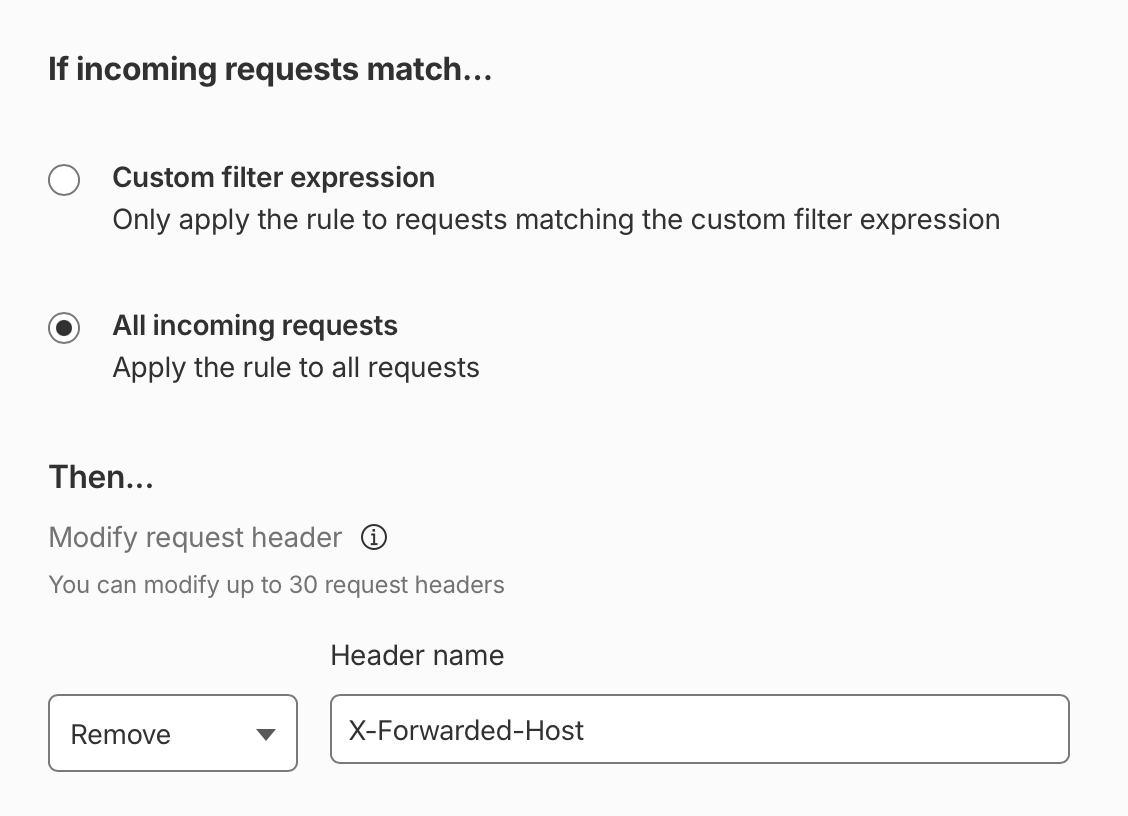
The X-Forwarded-Host header is a fairly common header but it can also be abused, especially if your application uses multiple domains or subdomains.
Rails trusts this header if you call request.host so an attacker can send a request to app.podia.com with X-Forwarded-Host: another.podia.com, and Rails will treat the request as going to another.podia.com.
The solution, once you’ve ensured all traffic is going through Cloudflare, is to remove any X-Forwarded-Host headers from requests. The header can then still be set and used internally by your servers but you never trust it from outside. The rule is simple: